
On this page
Learn how to mint and redeem DOC and BPRO using the Money On Chain dApp.
Connect to the dApp
Go to https://dapp.moneyonchain.com and connect your preferred wallet.
Your wallet will ask you to sign a message to log in. Sign the message to access the dApp.
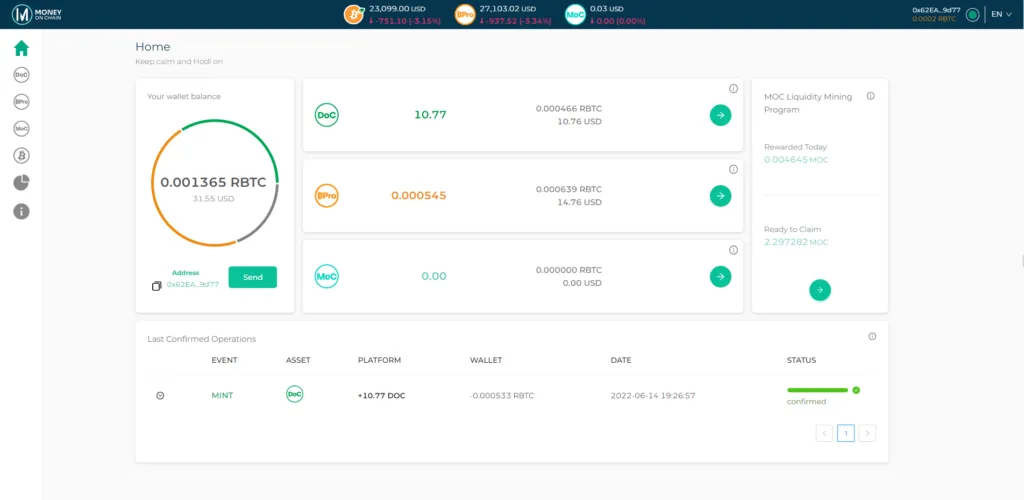
From the Home page, click the DOC or BPRO card, or select the corresponding token from the left menu.
Select the operation
The DOC and BPRO screens work the same way.
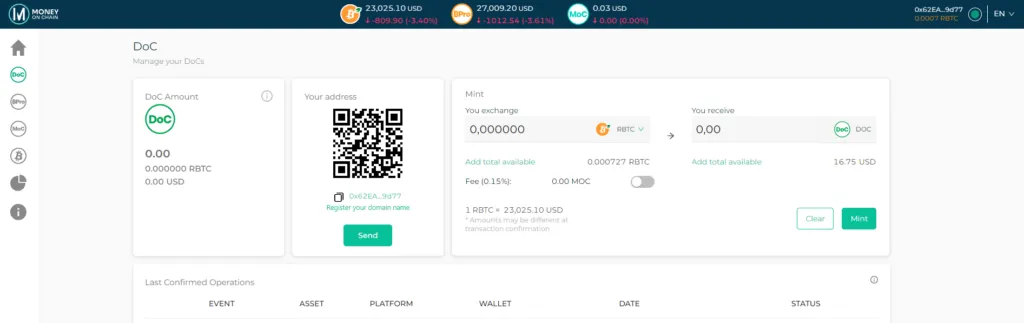
DOC Section
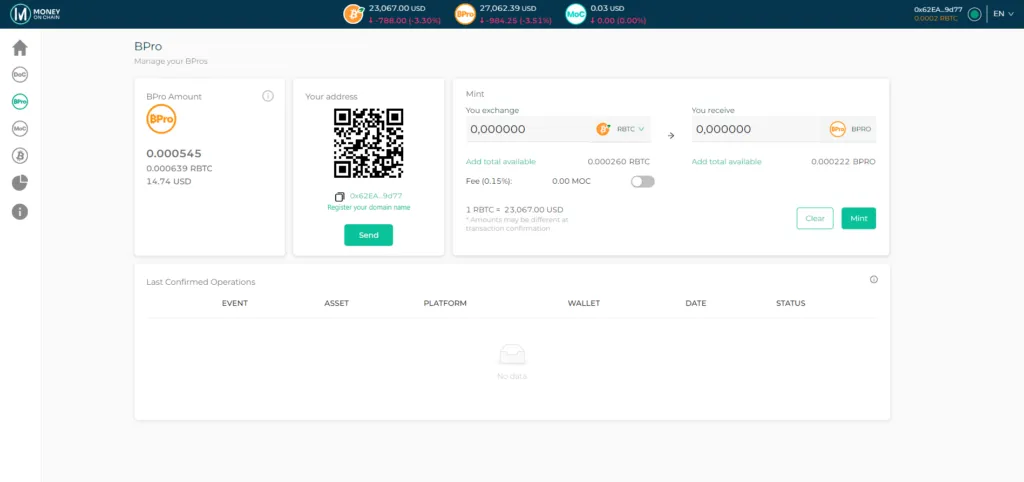
BPRO Section
The asset you receive is determined by the section you are using.
- On the DOC page, you can exchange between rBTC and DOC.
- On the BPRO page, you can exchange between rBTC and BPRO.
To mint tokens, select rBTC in the You exchange field and enter the amount you want to exchange.
To redeem tokens, select the token of the current section (DOC or BPRO) in the You exchange field and enter the amount you want to redeem.
The dApp will automatically calculate the amount you will receive..
Review the transaction
Before confirming, review:
- The amount you are exchanging.
- The amount you will receive.
- The protocol fee.
- The current rBTC price displayed by the dApp.
Fees can be paid either in rBTC or in MOC. Switching the fee token may require an approval transaction and additional gas.
Confirm the transaction
Click Mint or Redeem and confirm the transaction in your wallet.
Once the transaction is submitted, copy the transaction ID if you want to track it on the blockchain.
The dApp does not display a pending state. Transaction confirmation must be verified through your wallet or a block explorer.